What is React? JSX Introduction and Your First Component
What problem React actually solves, how JSX syntax works, and how to build your first component.
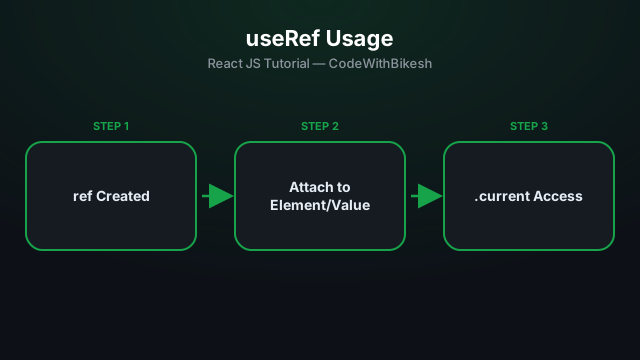
useRef returns a "box" whose .current property can hold any value — and unlike useState, changing that value does not trigger a re-render.
function SearchBox() {
  const inputRef = useRef(null);

  function focusInput() {
    inputRef.current.focus();
  }

  return (
    <div>
      <input ref={inputRef} type="text" />
      <button onClick={focusInput}>Focus Input</button>
    </div>
  );
}
Here inputRef.current is the actual DOM <input> element — this lets us call imperative DOM methods like .focus() or .scrollIntoView(), which isn't possible with state.
function Stopwatch() {
  const [seconds, setSeconds] = useState(0);
  const intervalRef = useRef(null);

  function start() {
    intervalRef.current = setInterval(() => {
      setSeconds(s => s + 1);
    }, 1000);
  }

  function stop() {
    clearInterval(intervalRef.current);
  }

  return (
    <div>
      <p>{seconds}s</p>
      <button onClick={start}>Start</button>
      <button onClick={stop}>Stop</button>
    </div>
  );
}
If intervalRef were useState instead, setting the interval id would trigger an extra, unnecessary re-render every time. Refs are perfect for this kind of "backstage" value.
ref attribute gives you direct access to a DOM node..current does not trigger a re-render.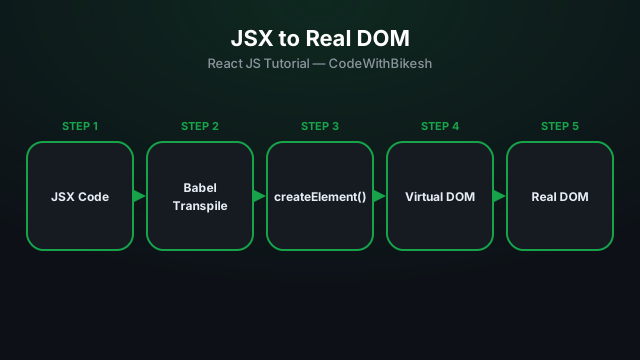
What problem React actually solves, how JSX syntax works, and how to build your first component.
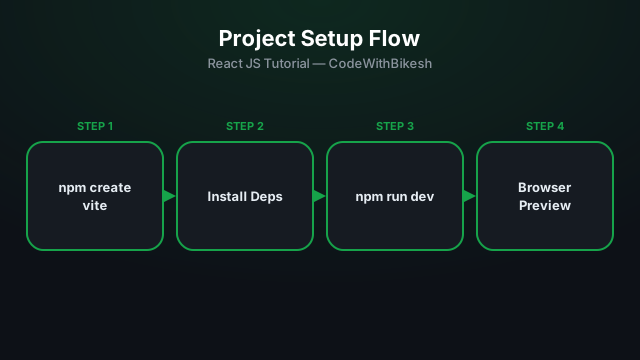
Set up a modern React project in seconds with Vite, and understand the resulting folder structure.
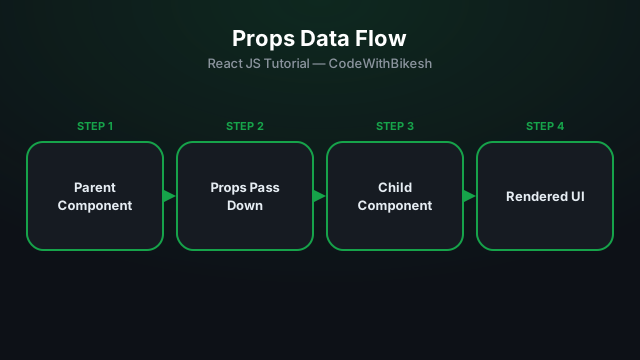
Build functional components and pass data from parent to child components using props.